




PyTales

A11ySpace

Making barriers in seeing and hearing tangible and supporting inclusive teaching

Apps for phone and laptop, a classroom for the VR headset, a room planner and a teacher-training seminar at TU Dresden in which first-hand experience turns into accessible learning modules.

See the projectsFrom teaching

Version 1.0.3Vision simulation

A11ySpace Vision

Uses the camera to simulate in real time how people with visual impairments perceive the world: as an Android app, in the browser and on the Meta Quest 3.

  • Android
  • Browser
  • Meta Quest 3
also in the browser: ar.pytales.de
Version 1.0.2Hearing simulation

A11ySpace Hearing

Uses the microphone to simulate live how people with hearing impairments hear: from age-related and noise-induced hearing loss and your own audiogram to cochlear implants and tinnitus.

  • Android
no public download
Version 0.6.0Live captions

A11ySpace LiveText

Turns the spoken word into readable text within one to two seconds, offline on the teacher’s device. Read along on the projector and, via QR code, on every phone in the room.

  • Android
  • Windows
no public download
Version 1.0.1Room check

A11ySpace Check

Guides you step by step through an initial check of the classroom, measures background noise and reverberation and creates a report with “What helps?”.

  • Android
no public download
Version 1.0.9Learning app

A11ySpace Braille

Learn German braille: 15 lessons from the braille cell to whole sentences, practice with spaced repetition, alphabet and translator. Completely offline.

  • Android
no public download

In the browser

No installation: a classroom for the VR headset, a room planner and the learning environment for the seminar.

Meta Quest 3VR web app

A11ySpace VR

The inclusion teaching lab from other perspectives: in a wheelchair, with a visual impairment, with sensory overload or hearing loss, with stations, assistive aids and a room check in mixed reality.

  • Meta Quest 3
  • Browser
vr.pytales.de
BrowserRoom planning

A11ySpace Raumplaner 2D

The inclusion teaching lab from above: move tables freely and check with one click: wheelchair access, view of the board, teacher and quiet.

  • Computer
  • Tablet
  • Smartphone
thepytales.github.io
TU DresdenEW-SEGY-BW4

A11ySpace Seminar

The digital learning environment for the teacher-training seminar: 14 sessions as learning paths, six simulations from “Seeing and contrast” to the dyslexia simulator, and a display you can adapt.

  • Browser
seminar.pytales.de

Experience it first, then plan with fewer barriers

In the teacher-training seminar “Designing school and teaching for inclusion” at TU Dresden, students first experience barriers themselves: in six simulations, with A11ySpace Vision and in A11ySpace VR. Then they design accessible learning modules.

  • 14 sessions as learning paths
  • 6 Simulations
  • 2 learning modules in the portfolio
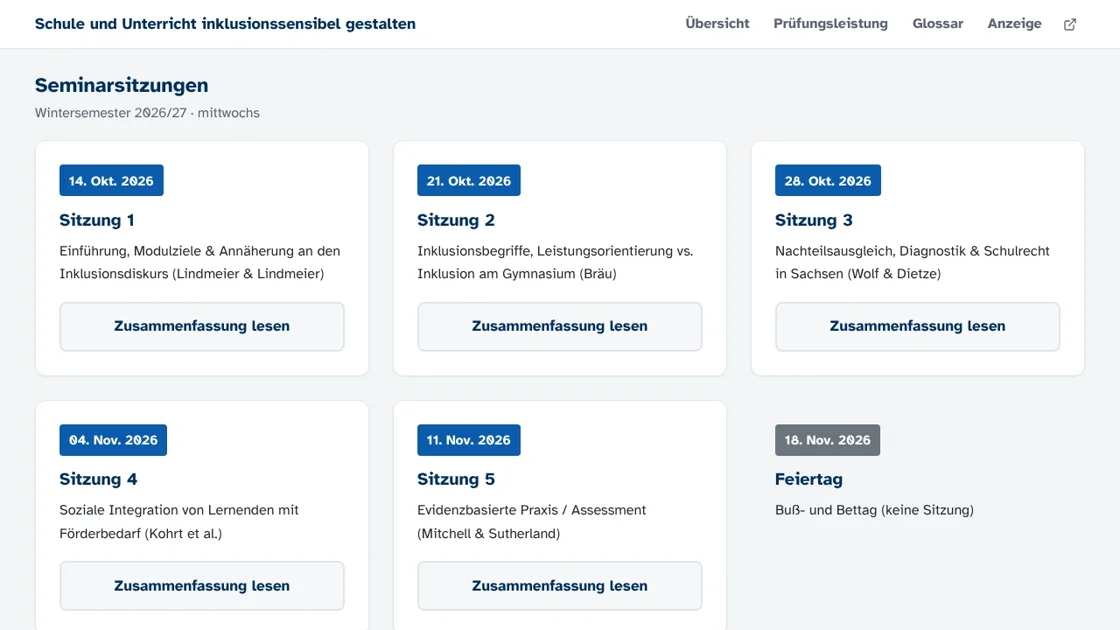
Start page of the learning environment with the seminar sessions in the winter semester 2026/27
seminar.pytales.de